Help Us Map the Curriculum
LPU Notes is community-driven. If you can't find your subject, simply upload your official Syllabus and Instruction Plan (IP) here. We use these documents to accurately structure our content.
Chat with us on WhatsApp
For this type of request, please message us directly on WhatsApp. We'll get back to you quickly!
+91 91038 41097
Open WhatsAppRequest Sent!
Thank you for contributing! We'll review your documents and upload the notes within 1–4 weeks.
How to download Syllabus
-
1
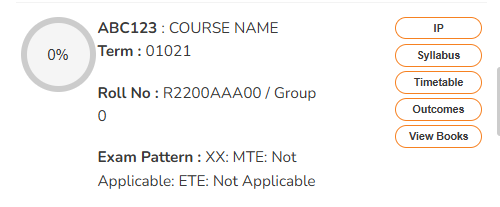
Open your UMS Dashboard and locate your subject.
-
2
Click the "Syllabus" button — this opens the PDF directly in your browser.
-
3
Save the file using Ctrl+S or right-click → "Save as".
How to download Instruction Plan
-
1
Open your UMS Dashboard and locate your subject.
-
2
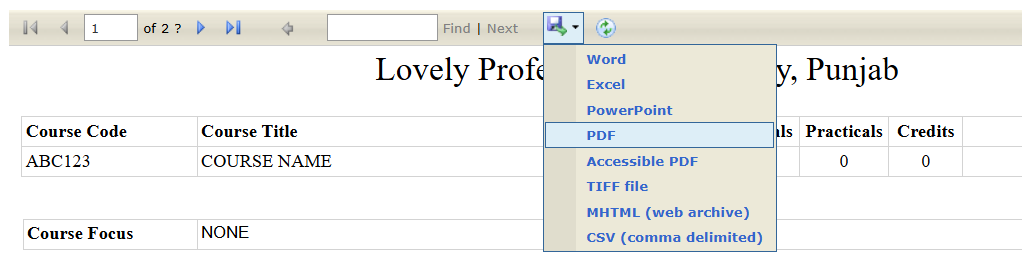
Click the "IP" button to open the Instruction Plan viewer.
-
3
In the viewer toolbar, click the save/export icon (floppy disk).
-
4
Select "PDF" from the dropdown to download it.